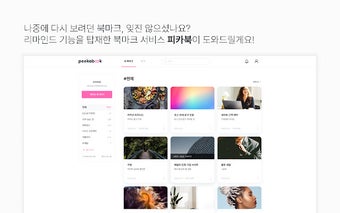
피카북(Peekabook): A Convenient Bookmark Service
피카북(Peekabook) is a convenient bookmark service that can be used anytime, anywhere. The name "Peekabook" is a combination of "peekaboo" which means "peek" and "bookmarks".
Now, let me introduce you to the main services and features of Peekabook:
Organize and easily find bookmarks with categories and search:
As your bookmarks pile up, it becomes difficult to find them again. But now, with the category and search function, finding bookmarks is a breeze.
Simplified bookmarking with the Chrome extension:
Install the extension and start bookmarking! You can easily view your bookmarks on your personal bookmark page.
Never forget your bookmarks with reminders:
Have you ever forgotten a bookmark you saved? Set up notifications and Peekabook will remind you anytime, anywhere!
Let me guide you through the simple steps of using Peekabook:
1. First, add Peekabook to Chrome by downloading it from the Chrome Web Store.
2. Second, when you come across a website or page you want to bookmark, click the extension button and save it.
(Pro tip! If it's content you want to revisit, set a reminder notification. Peekabook will remind you.)
3. Third, visit the Peekabook website (peekabook.work) to view your saved bookmarks.
You can easily manage your bookmarks with categories, tags, and the search function.
Having trouble using Peekabook? Feel free to contact us at the email below, and we will be happy to assist you:
Email: